PostgreSQL CDC Setup Guide
This guide walks you through configuring PostgreSQL Change Data Capture (CDC) for use with Nexla. It covers:
- Creating a dedicated CDC database user
- Granting the correct privileges at the database, schema, and cluster level
- Creating a logical replication publication
- Validating that all permissions are correctly applied
Logical replication must be enabled on your PostgreSQL instance. Set wal_level = logical in postgresql.conf (or via your RDS parameter group). On Amazon RDS, the rds_replication role is used in place of the standard REPLICATION attribute.
Configure the Source in Nexla
Once the database side has been prepared with the steps below, return to Nexla and create a CDC data source pointing at your PostgreSQL instance.
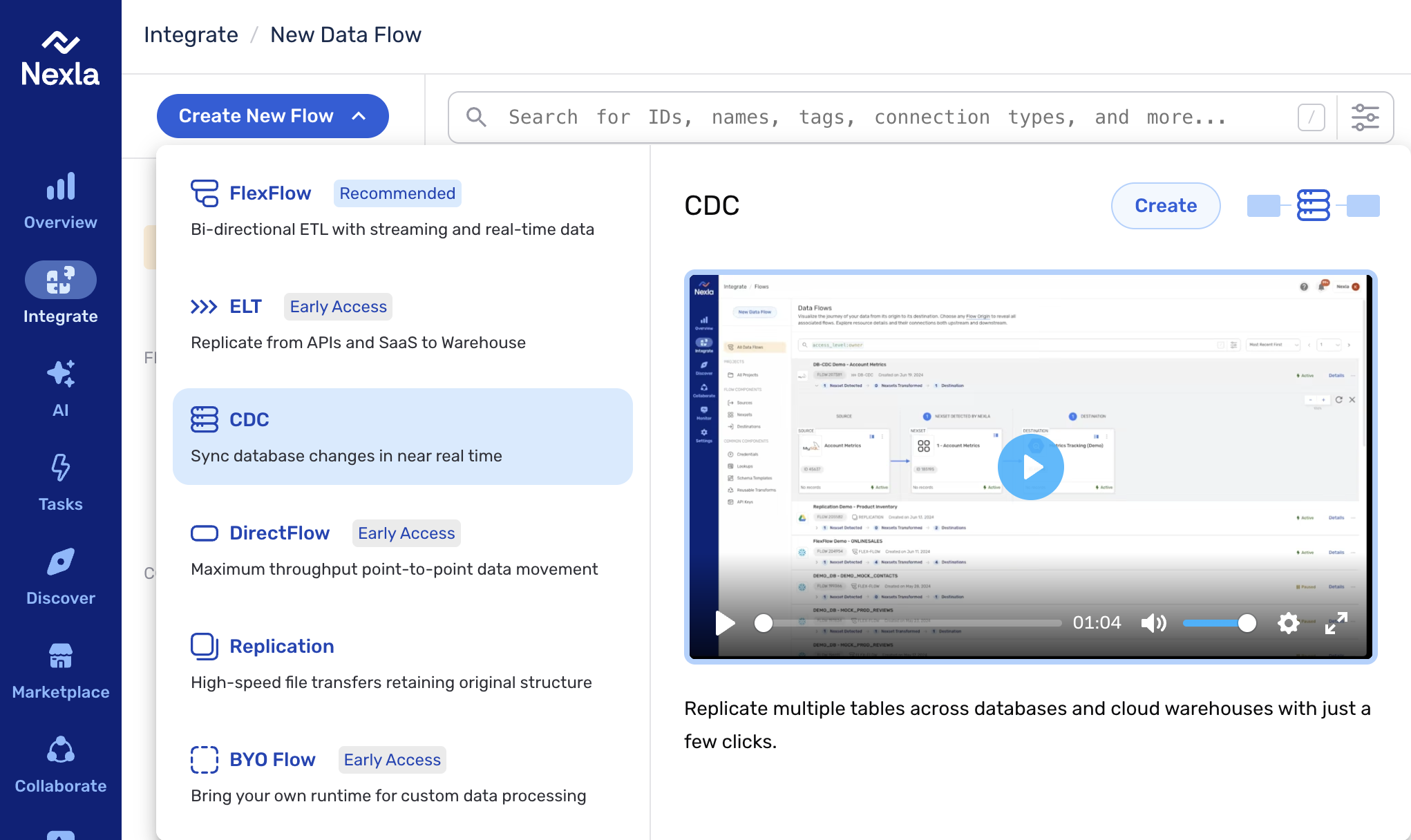
1. Start a CDC flow. From the Integrate section, click Create New Flow and select CDC from the list of flow types.
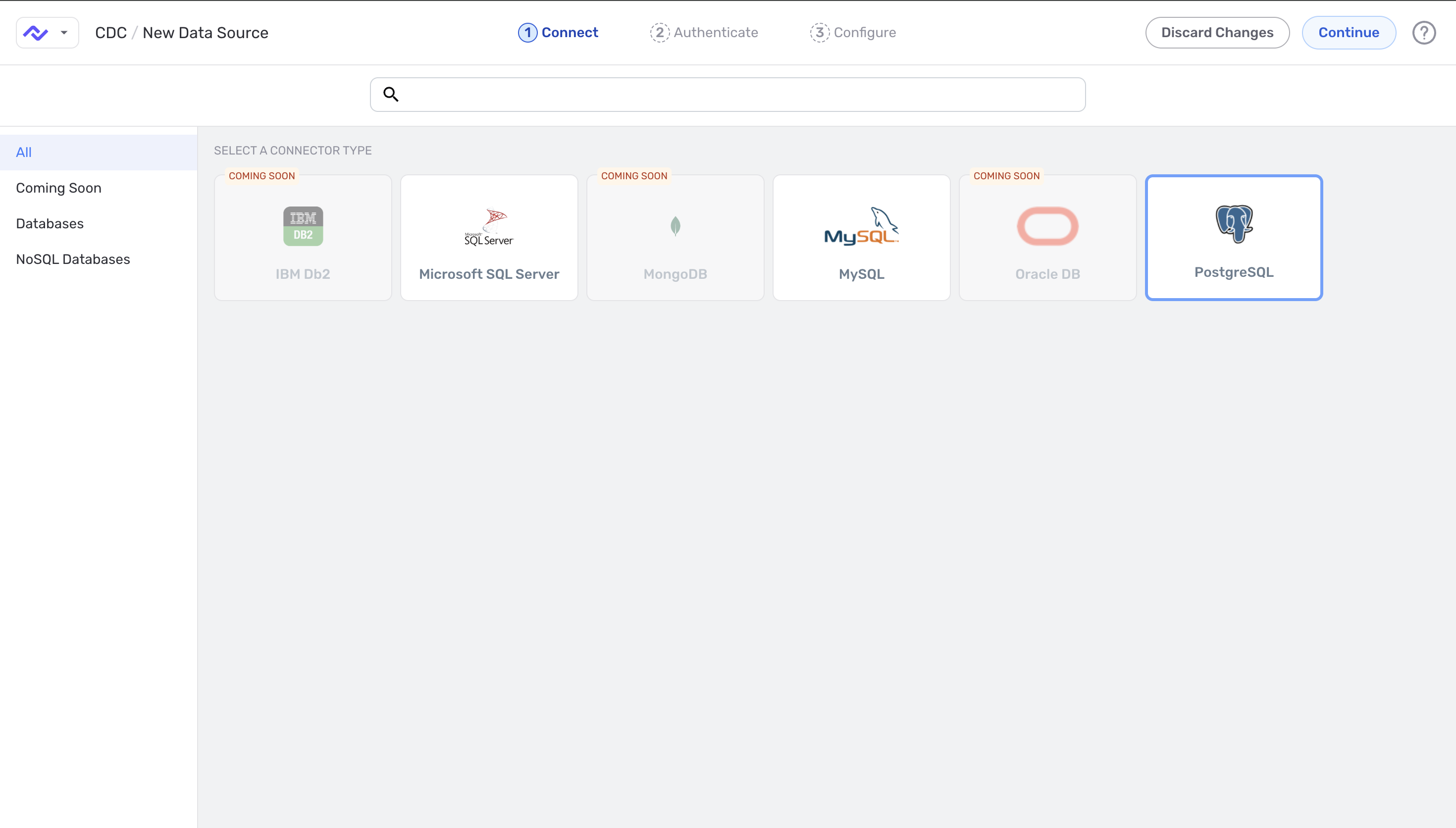
2. Select the connector type. On the Connect step, choose PostgreSQL from the connector tiles.
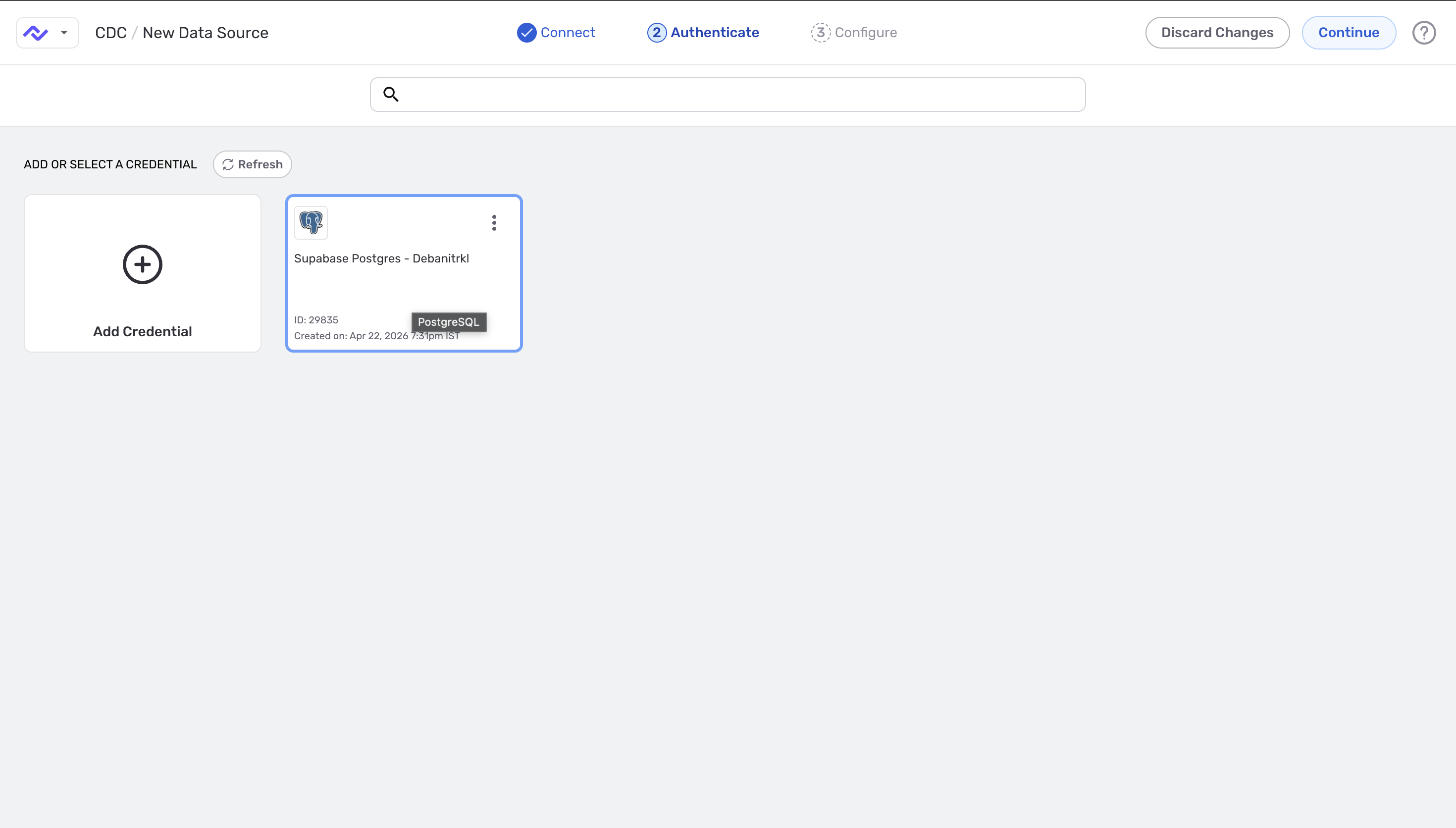
3. Select an existing PostgreSQL credential — or click Add Credential to create one. Existing credentials show the connection ID and creation timestamp.
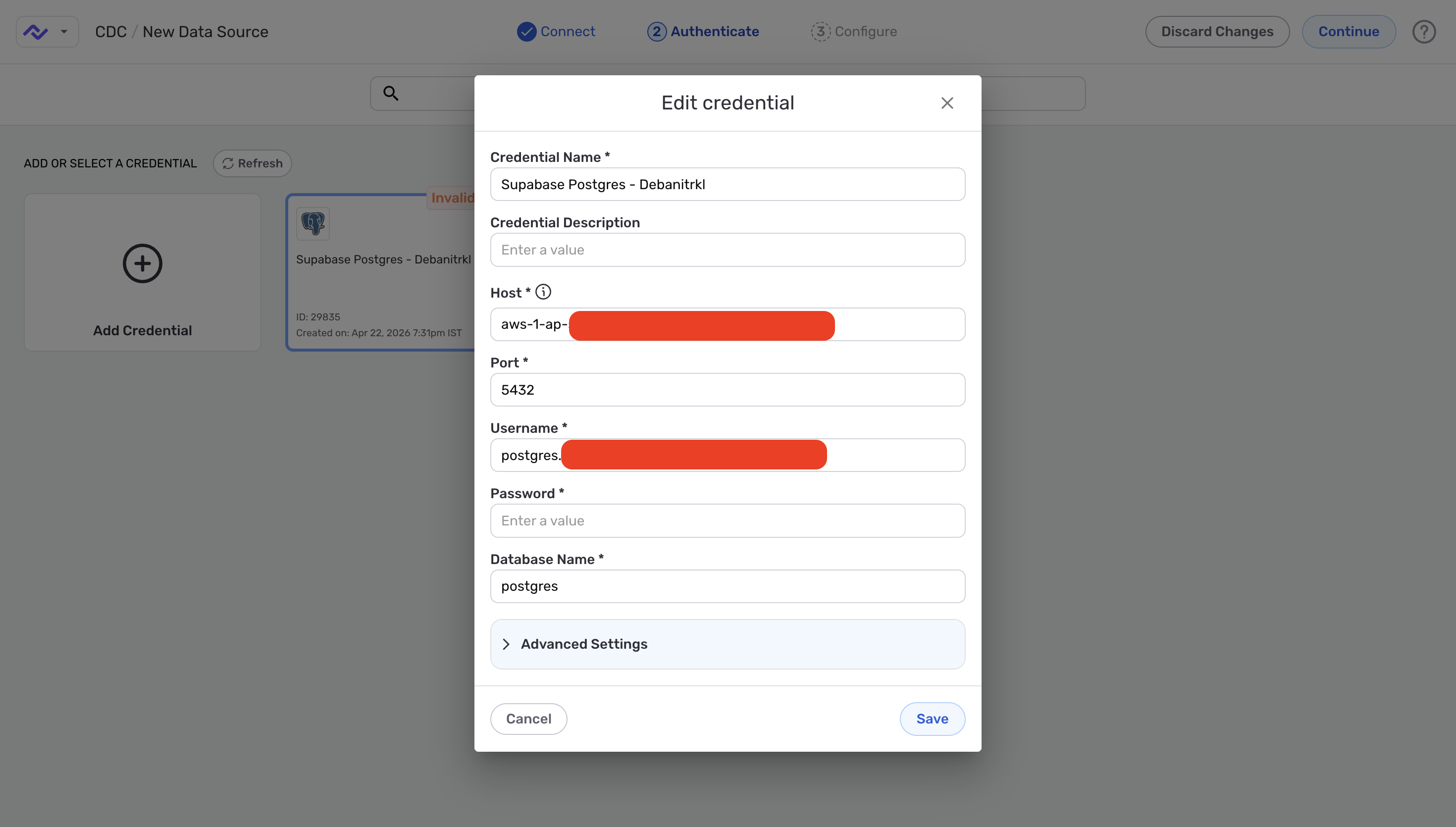
4. Fill in the PostgreSQL connection details — host, port (default 5432), username, password, and the database name. Use the cdc_user you create in Section 1.1 below.
5. Configure the source. On the Configure step (the last step before the source is created), give the source a name and set:
- Replication Method — choose Log-based CDC to capture changes from PostgreSQL's WAL via the
nexla_publicationcreated in Section 1.3. - Capture change events — toggle Create on; toggle Delete on if you also want deletions reflected in the destination.
- Ingest existing data — on if pre-existing rows should be replicated; off to capture only new changes from this point forward.
- Replication frequency — how often Nexla scans the source for changes. Optionally check Set Time to pin a specific time.
- Schema selection mode — Automatic to include every table covered by the publication, or Select by name to include/exclude specific tables.
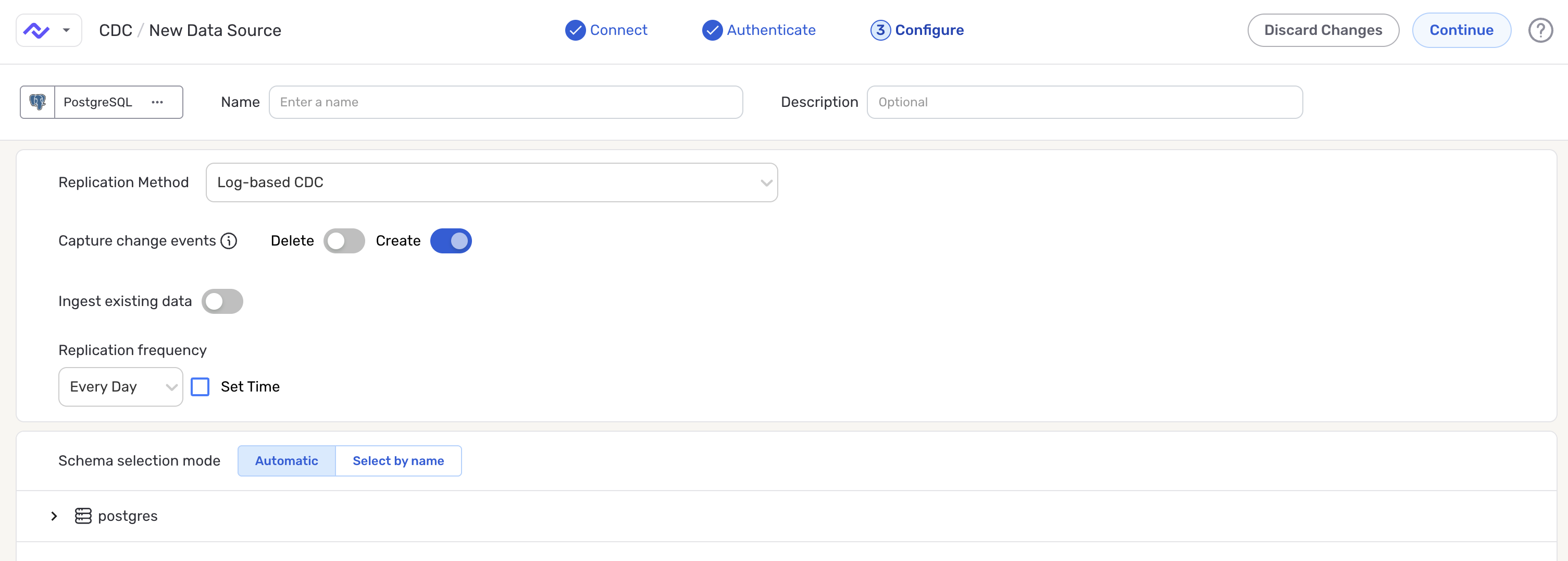
After saving the source, follow the destination setup steps on the DB-CDC Data Flows page.
1. User Setup & Grants
Run the following steps in order. The grant block is wrapped in a transaction so it can be rolled back if anything fails.
1.1 Create the CDC User
Create a dedicated login for the CDC connector. Choose a strong password and store it securely.
CREATE USER cdc_user WITH PASSWORD '<StrongPassword>';
Use a strong, unique password and store it in your secrets manager. Avoid reusing application credentials.
1.2 Grant All Required Privileges
Run the following block as a superuser or database owner. It is wrapped in a transaction so any failure can be cleanly rolled back.
BEGIN;

-- Allow the user to connect to the database
GRANT CONNECT ON DATABASE <YourDatabase> TO cdc_user;

-- Allow access to objects within the schema
GRANT USAGE ON SCHEMA <YourSchema> TO cdc_user;

-- Read access to all existing tables in the schema
GRANT SELECT ON ALL TABLES IN SCHEMA <YourSchema> TO cdc_user;

-- Automatically grant SELECT on any future tables added to the schema
ALTER DEFAULT PRIVILEGES IN SCHEMA <YourSchema>
    GRANT SELECT ON TABLES TO cdc_user;

-- Grant replication role (Amazon RDS)
-- On self-managed Postgres use: ALTER USER cdc_user WITH REPLICATION;
GRANT rds_replication TO cdc_user;

COMMIT;
On Amazon RDS, grant the rds_replication role as shown above. On self-managed PostgreSQL, use ALTER USER cdc_user WITH REPLICATION; instead — the rds_replication role does not exist outside RDS.
1.3 Create the Replication Publication
Run this command as a superuser. Do not modify the publication name nexla_publication — the Nexla CDC connector expects this exact name.
-- Run as superuser. Do not change the publication name.
CREATE PUBLICATION nexla_publication FOR ALL TABLES;
The publication name nexla_publication must not be changed. The Nexla CDC connector references this publication by name to subscribe to the change stream.
1.4 Optional: Grant Access to Sequences
If your CDC pipeline requires sequence values (for example, for serial/identity columns), add these grants:
-- Optional: existing sequences
GRANT SELECT ON ALL SEQUENCES IN SCHEMA <YourSchema> TO cdc_user;

-- Optional: future sequences
ALTER DEFAULT PRIVILEGES IN SCHEMA <YourSchema>
    GRANT SELECT ON SEQUENCES TO cdc_user;
2. Permission Reference
The table below explains the purpose of each privilege granted in Section 1.
| Grant | Scope | Purpose |
|---|---|---|
CONNECT ON DATABASE | Database | Allows the CDC user to connect to the target database. |
USAGE ON SCHEMA | Schema | Required to access any objects (tables, sequences) within the schema. |
SELECT ON ALL TABLES | Schema | Grants read access to all existing tables for change capture. |
ALTER DEFAULT PRIVILEGES | Schema | Ensures SELECT is automatically granted on any future tables added to the schema. |
rds_replication role | Cluster | Required on Amazon RDS to allow logical replication and WAL access. On self-managed Postgres, use the built-in REPLICATION attribute instead. |
CREATE PUBLICATION | Database | Creates a logical replication publication covering all tables, used by the CDC connector to subscribe to changes. |
3. Validation
Run the following checks after completing Section 1 to confirm all privileges are correctly applied.
Checks 0 through 4 can be run as any admin user using SET ROLE cdc_user. Checks 5 and 6 must be run by logging in directly as cdc_user — they test replication capabilities that SET ROLE does not fully simulate.
3.0 Check Replication Role Membership
SELECT r.rolname AS role,
       u.rolname AS member_name
FROM   pg_auth_members m
JOIN   pg_roles r ON m.roleid = r.oid
JOIN   pg_roles u ON m.member = u.oid
WHERE  r.rolname IN ('rds_replication', 'replication')
  AND  u.rolname = 'cdc_user';
Returns one row: rds_replication | cdc_user (or replication | cdc_user on self-managed PostgreSQL).
3.1 Check CONNECT Privilege on Database
SELECT has_database_privilege('cdc_user', '<YourDatabase>', 'CONNECT')
       AS connect_on_db;
Returns: connect_on_db = true
3.2 Check USAGE Privilege on Schema
SELECT has_schema_privilege('cdc_user', '<YourSchema>', 'USAGE')
       AS usage_on_schema;
Returns: usage_on_schema = true
3.3 Check SELECT on All Tables
SELECT table_schema,
       table_name,
       has_table_privilege(
         'cdc_user',
         format('%I.%I', table_schema, table_name),
         'SELECT') AS has_select
FROM   information_schema.tables
WHERE  table_schema = '<YourSchema>';
All rows should show has_select = true. If any row shows false, re-run the GRANT SELECT ON ALL TABLES step.
3.4 Check Default Privileges for Future Tables
SELECT defaclrole::regrole AS grantor,
       n.nspname           AS schema,
       defaclobjtype       AS obj_type,
       defaclacl
FROM   pg_default_acl d
JOIN   pg_namespace n ON n.oid = d.defaclnamespace
WHERE  n.nspname = '<YourSchema>';
The defaclacl column should include an entry granting SELECT on TABLES (obj_type = 'r') to cdc_user in the target schema.
3.5 Test Replication Slot Creation
Connect directly as cdc_user (not via SET ROLE) and run:
-- Create a test replication slot
SELECT * FROM pg_create_physical_replication_slot('test_slot_validate');

-- Drop it immediately after confirming success
SELECT pg_drop_replication_slot('test_slot_validate');
Both statements execute without error. If you receive a permission denied error, confirm the rds_replication role (or REPLICATION attribute) was correctly granted.
3.6 Test WAL Access
Still connected as cdc_user, run:
SELECT pg_current_wal_lsn()                       AS current_lsn;
SELECT pg_walfile_name(pg_current_wal_lsn())      AS current_wal_file;
Both queries return values without error. Errors here indicate insufficient replication privileges.
3.7 Confirm Publication Exists
SELECT pubname FROM pg_publication;
Returns a row containing: nexla_publication
Validation Summary
| Check | Query / Action | Expected Result |
|---|---|---|
| 0 | pg_auth_members join on rds_replication / replication | Returns a row: rds_replication | cdc_user |
| 1 | has_database_privilege('cdc_user', '<db>', 'CONNECT') | true |
| 2 | has_schema_privilege('cdc_user', '<schema>', 'USAGE') | true |
| 3 | has_table_privilege(...) for all tables in schema | All rows return has_select = true |
| 4 | pg_default_acl joined with pg_namespace for schema | ACL entry includes SELECT on TABLES for cdc_user |
| 5 | pg_create_physical_replication_slot / pg_drop_replication_slot | Slot creates and drops without error |
| 6 | pg_current_wal_lsn() and pg_walfile_name() | Both return values without error |
| 7 | SELECT pubname FROM pg_publication | Returns row: nexla_publication |
4. Complete Setup Script
The complete script combining all setup steps. Replace all placeholders before running.
-- ============================================================
-- Nexla PostgreSQL CDC Setup — Complete Script
-- Replace <YourDatabase>, <YourSchema>, <StrongPassword>
-- Run as superuser or database owner
-- ============================================================

-- 1. Create the CDC user
CREATE USER cdc_user WITH PASSWORD '<StrongPassword>';

BEGIN;

-- 2. Database connection
GRANT CONNECT ON DATABASE <YourDatabase> TO cdc_user;

-- 3. Schema access
GRANT USAGE ON SCHEMA <YourSchema> TO cdc_user;

-- 4. Read access to existing tables
GRANT SELECT ON ALL TABLES IN SCHEMA <YourSchema> TO cdc_user;

-- 5. Read access to future tables
ALTER DEFAULT PRIVILEGES IN SCHEMA <YourSchema>
    GRANT SELECT ON TABLES TO cdc_user;

-- 6. Replication role (Amazon RDS)
-- For self-managed Postgres: ALTER USER cdc_user WITH REPLICATION;
GRANT rds_replication TO cdc_user;

COMMIT;

-- 7. Create publication (run as superuser)
-- Do NOT change the publication name
CREATE PUBLICATION nexla_publication FOR ALL TABLES;

-- Optional: sequence access
-- GRANT SELECT ON ALL SEQUENCES IN SCHEMA <YourSchema> TO cdc_user;
-- ALTER DEFAULT PRIVILEGES IN SCHEMA <YourSchema>
--     GRANT SELECT ON SEQUENCES TO cdc_user;
5. Troubleshooting
Permission denied on replication slot creation
- Confirm
rds_replicationwas granted:SELECT * FROM pg_auth_members WHERE member = 'cdc_user'::regrole; - On self-managed PostgreSQL, ensure
ALTER USER cdc_user WITH REPLICATION;was run instead. - Log in directly as
cdc_user—SET ROLEdoes not fully inherit replication capabilities.
has_select returns false for some tables
- Re-run:
GRANT SELECT ON ALL TABLES IN SCHEMA <YourSchema> TO cdc_user; - This only covers tables that existed at grant time. Tables added later are covered by
ALTER DEFAULT PRIVILEGES.
Publication missing or connector cannot subscribe
- Verify:
SELECT pubname FROM pg_publication;returnsnexla_publication. - The publication must be created by a superuser. Confirm the account used had superuser privileges.
- Do not rename or drop and recreate the publication without updating the Nexla connector configuration.
WAL access queries return errors
- Confirm
wal_levelis set tological:SHOW wal_level; - On RDS, update the parameter group setting and reboot the instance for it to take effect.
Contact Nexla Support at support@nexla.com with your PostgreSQL version, whether you are on RDS or self-managed, and the output of the validation queries in Section 3.