Integrate Nexla with ChatGPT
Connect ChatGPT to Nexla to chat with your Nexla resources in natural language. Once connected, you can ask questions about your data flows and Nexsets, explore credential metadata, and check data flow health/status and logs conversationally.
For a comprehensive guide to deploying MCP servers and connecting AI agents, see MCP Tools & Servers.
This guide covers the one-time setup in Section 1 and provides example prompts in Section 2.
Prerequisites
- A working Nexla account.
- Access to ChatGPT (and a workspace/plan configuration that allows adding custom tools/connectors).
Authorization uses OAuth. ChatGPT will only be able to access resources you already have permission to access in Nexla.
1. Connect Nexla to ChatGPT (OAuth)
-
Open ChatGPT and go to Settings.
-
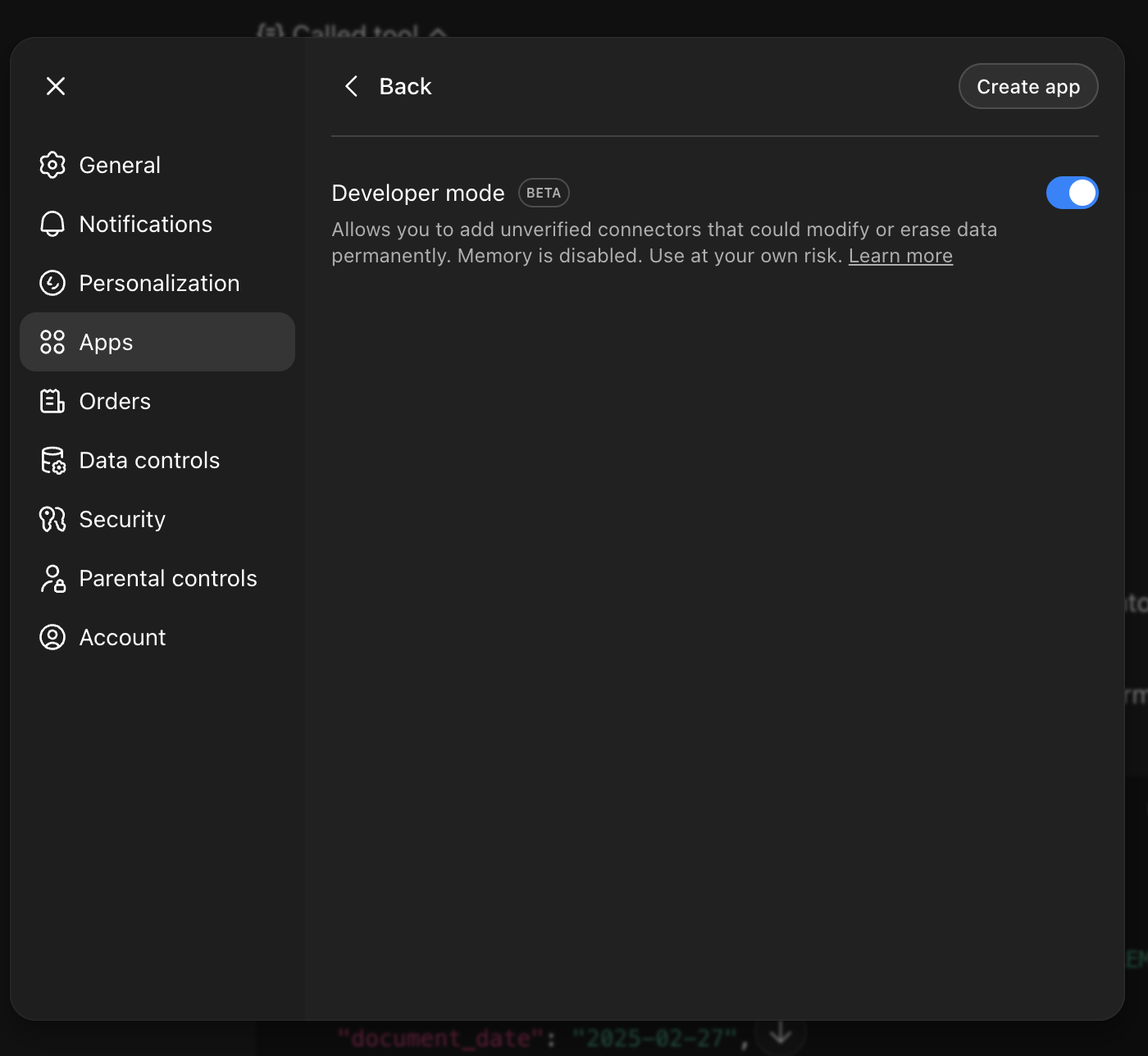
Enable Developer mode (or the equivalent setting that enables developer features), typically under Settings → Apps & Connectors → Advanced Settings → Developer mode.
-
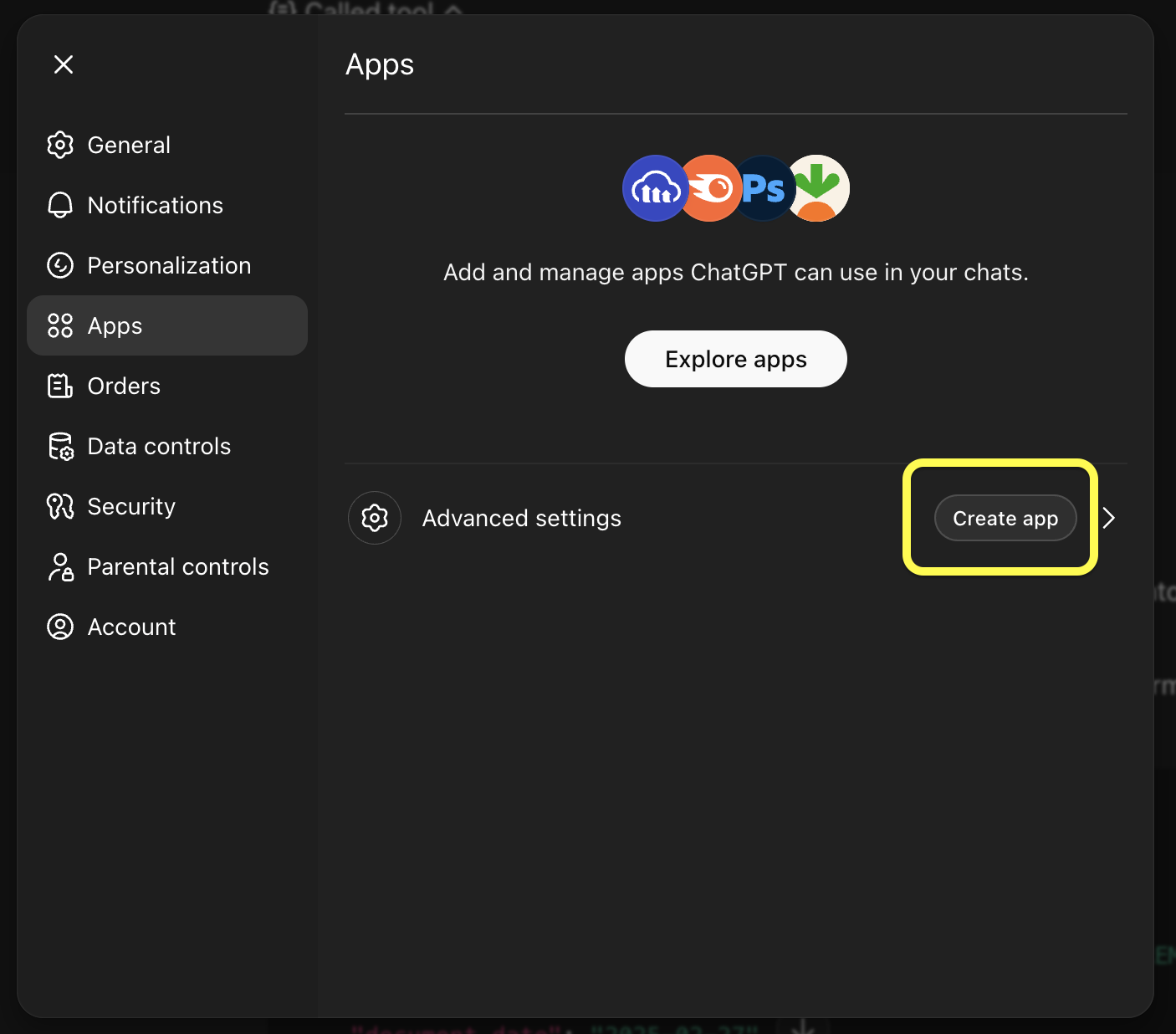
Go to the Apps section and click Create app.
-
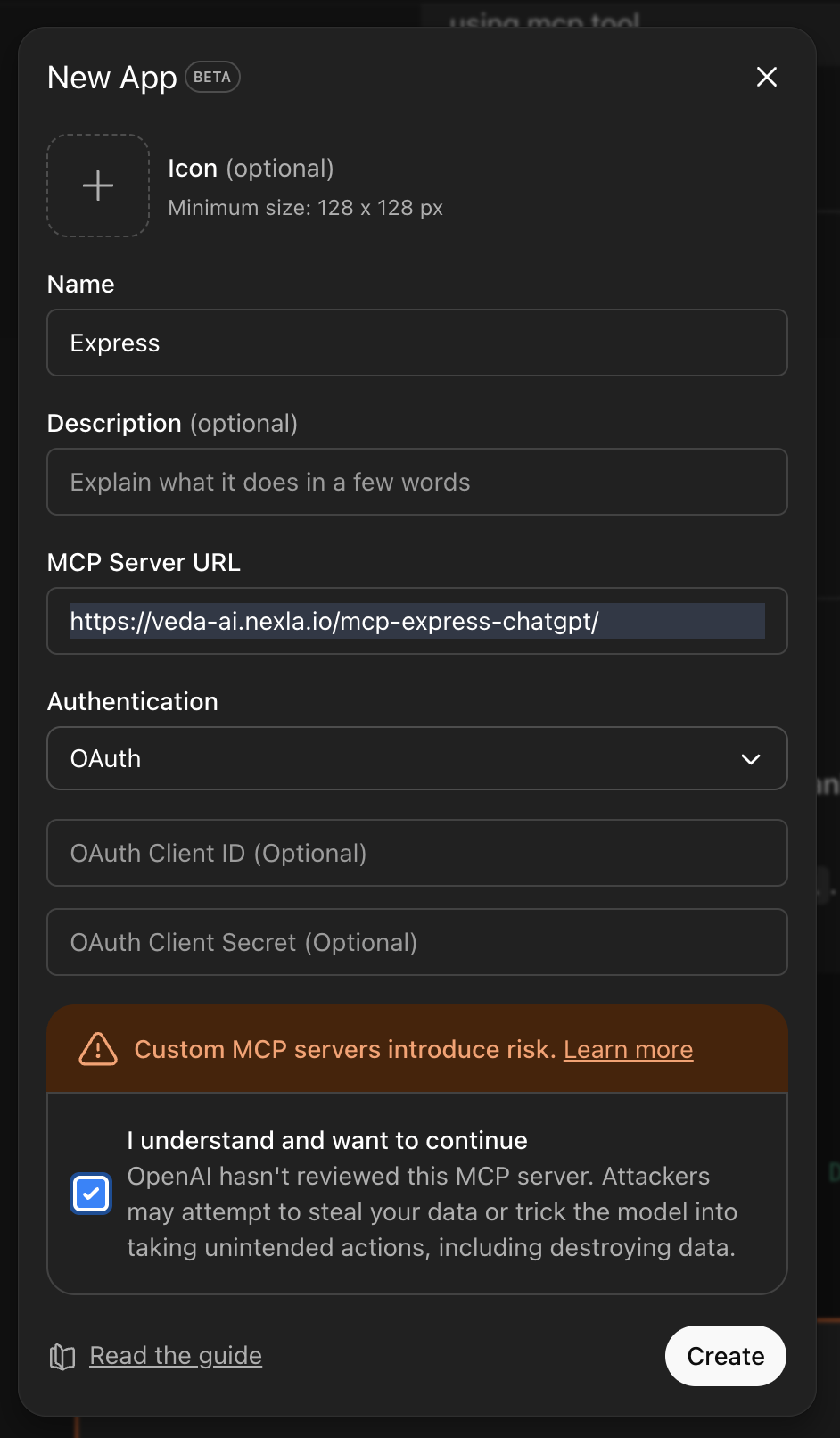
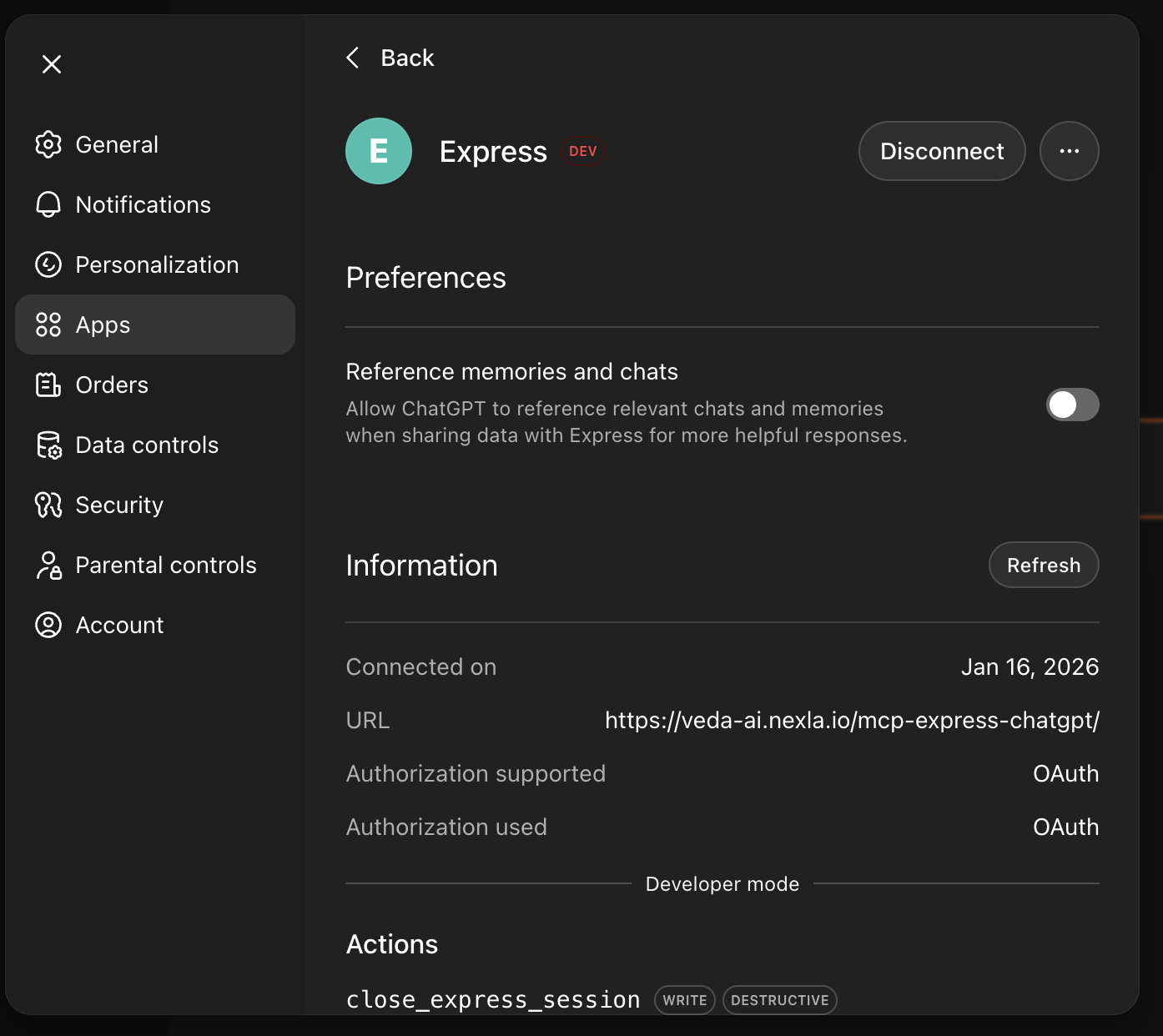
Enter the Nexla MCP server details:
- Name: Express
- Server URL:
https://veda-ai.nexla.io/mcp-express-chatgpt/ - Authentication: OAuth
-
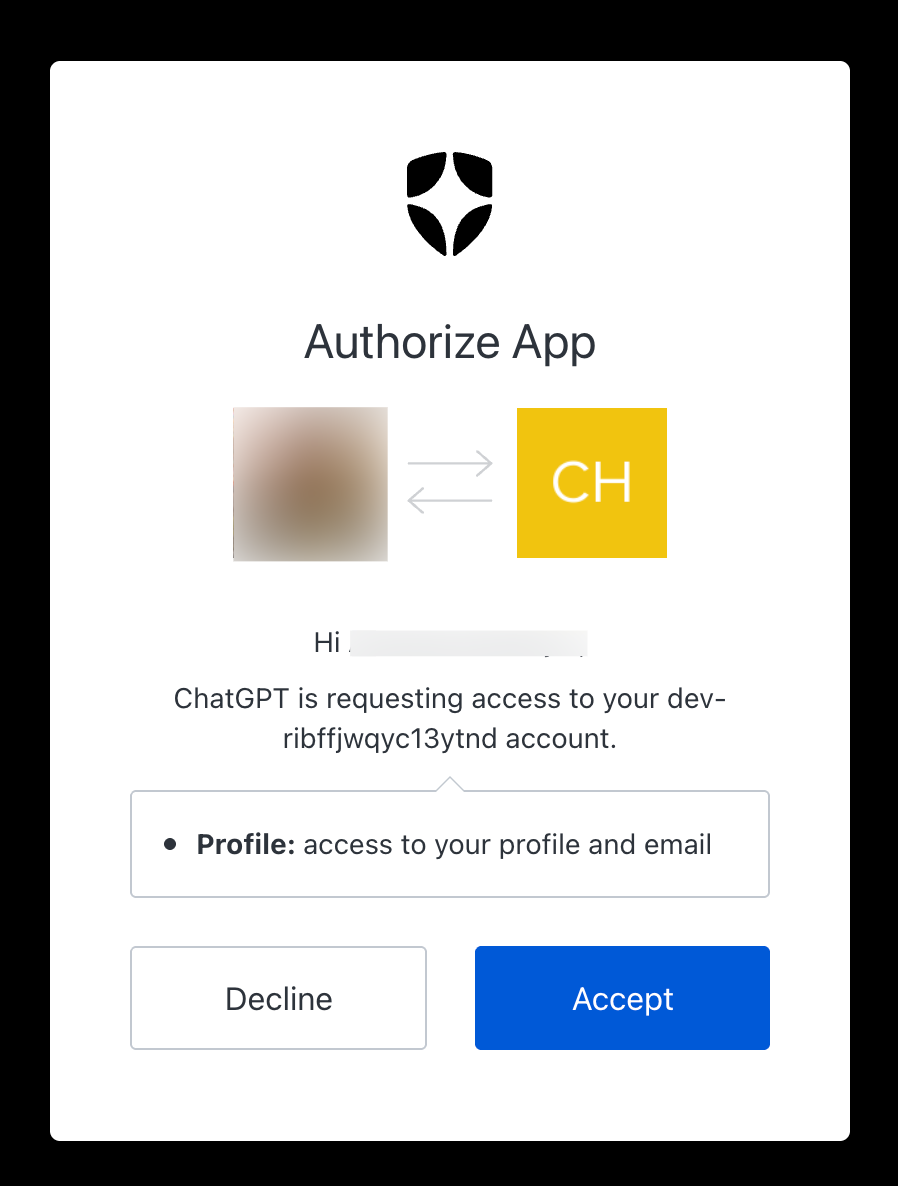
Continue the setup flow. You will be redirected to a Nexla sign-in / authorization screen.
-
Sign in to Nexla (if prompted), review the requested access, and approve to finish connecting.
-
Return to ChatGPT and confirm the server shows as Connected.
2. Example prompts
To use the Nexla app in a ChatGPT conversation:
-
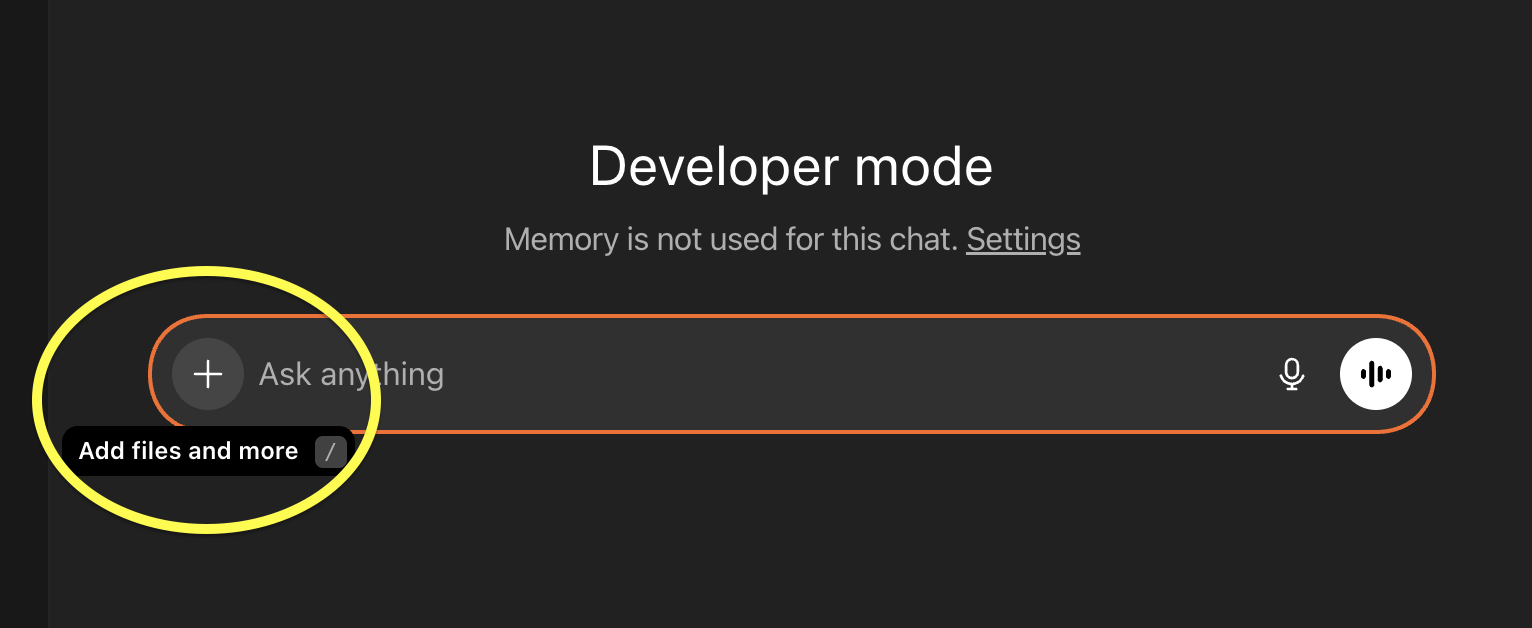
Start a new chat and click the + button next to the message box (chat composer).
-
Scroll to find and select your Express app/connector from the list.
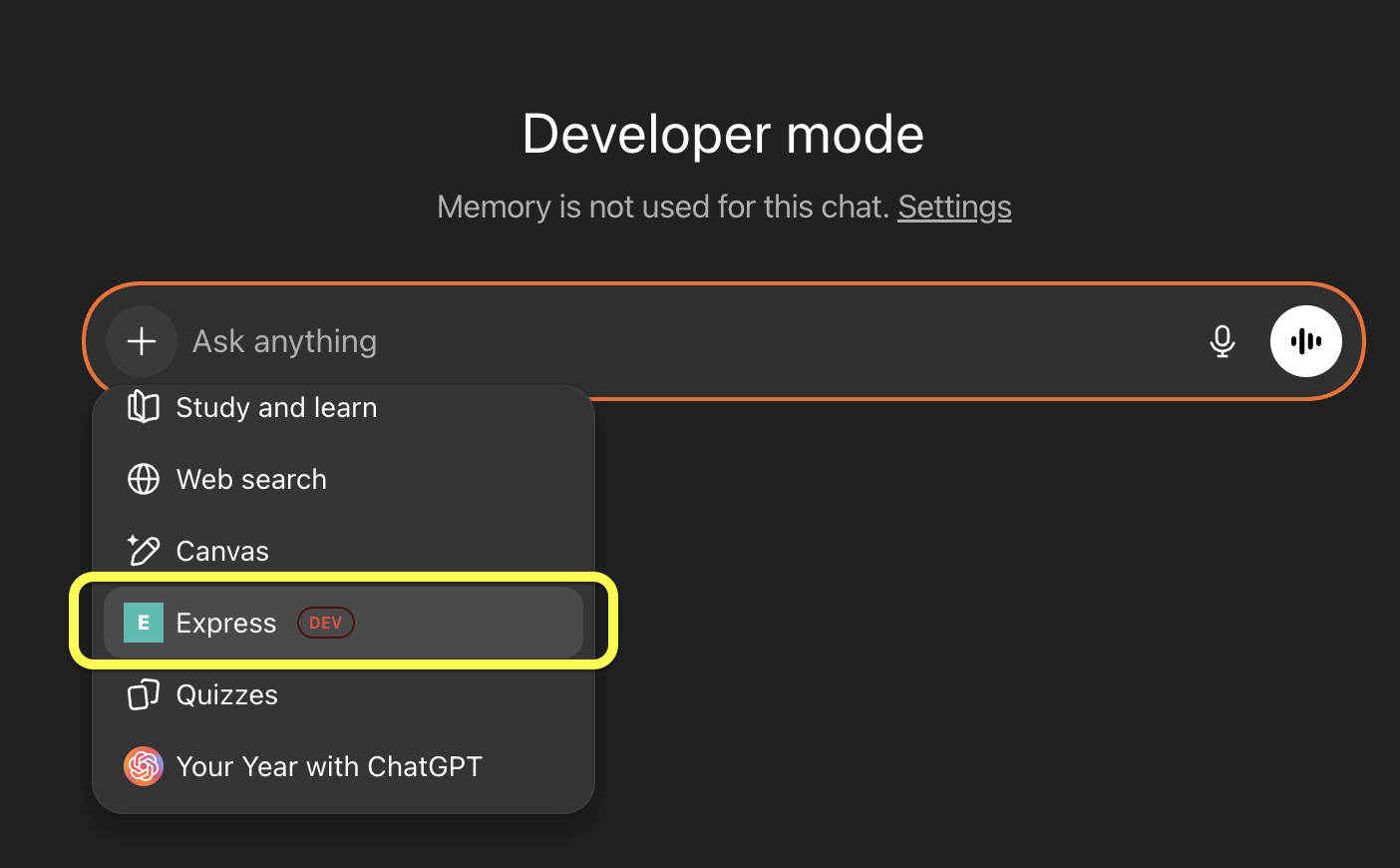
Once selected, you can ask ChatGPT questions like:
- “Hey Express, list my data flows and summarize what each does.”
- “Hi Express, can you show details for the data flow id <FLOW_ID> (status, sources, destinations).”
- “Express, show status and recent logs for the flow id <FLOW_ID>.”
- “List my Express credentials and which flows use them.”
Security and access notes
- ChatGPT access is scoped to your Nexla permissions via OAuth.
- This integration is intended for read-only exploration and Q&A (resource listings, summaries, and metadata).
- Credentials should be treated as sensitive: do not paste secrets into ChatGPT prompts, and expect only credential metadata to be accessible through this integration.