Pattern: Headless
You own every pixel. The SDK provides hooks that manage connector discovery, form fields, OAuth, validation, and credential CRUD. You render with any HTML elements you choose — no SDK UI components required.
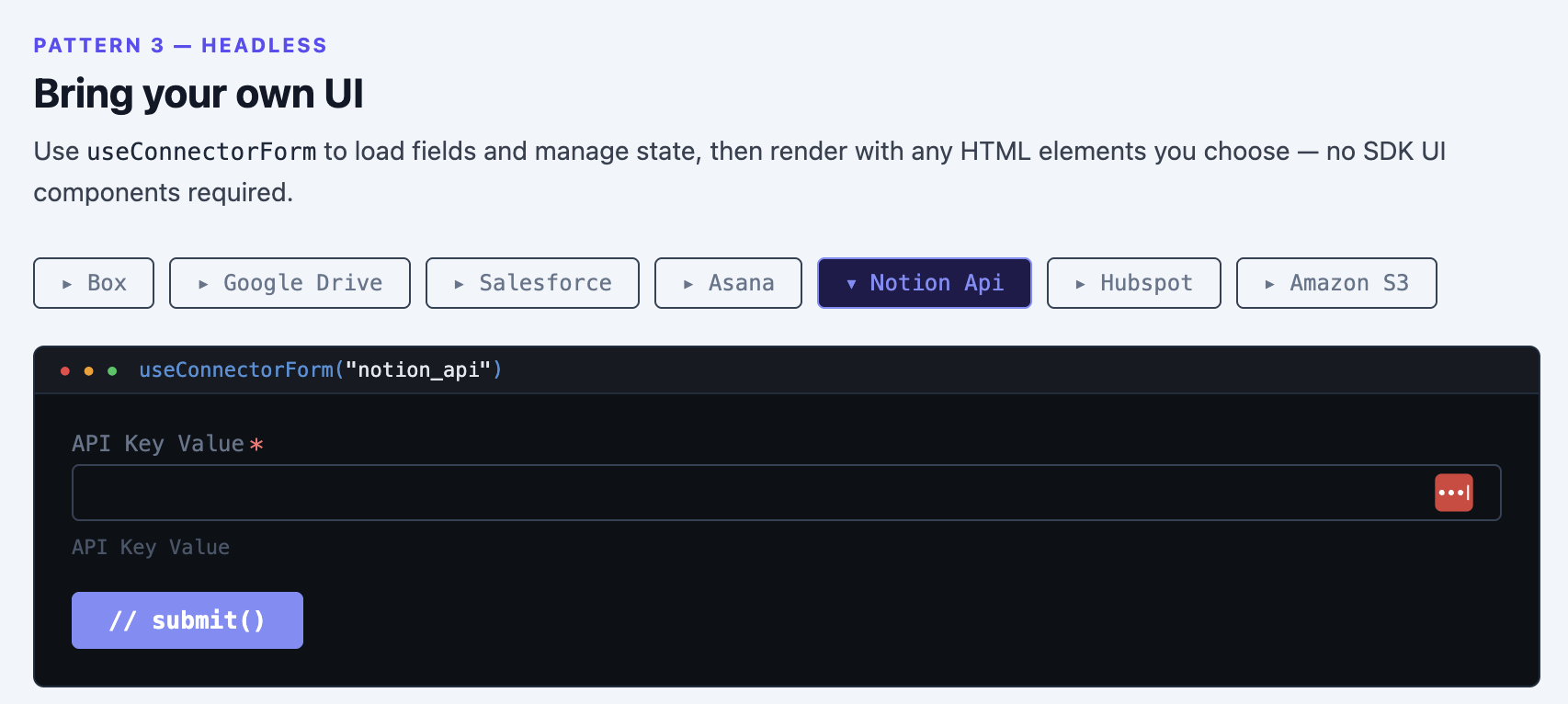
Fully custom form — you render everything, SDK manages state
What you build vs. what the SDK handles
| You build | SDK handles |
|---|---|
| Connector list or grid | Fetching connector metadata (logos, names, fields) |
| Credential form UI | Loading auth fields, visibility rules, conditional defaults |
| OAuth "Authorize" button | OAuth popup, token exchange, credential creation |
| Connected state display | Credential list scoped to end user |
| Error and success messages | Validation, error codes, retry logic |
Using useNexlaConnect
The primary hook. Returns connectors, credentials, and actions like connect() and disconnect().
import { NexlaConnectProvider, useNexlaConnect } from '@nexla/react-sdk';

function App() {
  return (
    <NexlaConnectProvider
      serviceKey="YOUR_SERVICE_KEY"
      connectors={['CONNECTOR_KEY_1', 'CONNECTOR_KEY_2']}
      applicationId="YOUR_APPLICATION_ID"
      endUserId="YOUR_END_USER_ID"
    >
      <IntegrationsPage />
    </NexlaConnectProvider>
  );
}

function IntegrationsPage() {
  const { connectors, credentials, connect, disconnect, connectingConnector, loading } = useNexlaConnect();

  if (loading) return <p>Loading...</p>;

  return (
    <div>
      {connectors.map((c) => {
        const credential = credentials.find((cred) => cred.vendor?.name === c.name);
        return (
          <div key={c.name}>
            <img src={c.small_logo} alt="" width={24} />
            <span>{c.display_name}</span>
            {credential ? (
              <>
                <span>Connected</span>
                <button onClick={() => disconnect(credential.id)}>Disconnect</button>
              </>
            ) : (
              <button
                onClick={() => connect(c.name)}
                disabled={connectingConnector === c.name}
              >
                {connectingConnector === c.name ? 'Connecting...' : 'Connect'}
              </button>
            )}
          </div>
        );
      })}
    </div>
  );
}
See API Reference for the full state and actions.
Using useCredentials
A convenience hook for reading credentials, optionally filtered to a specific connector:
import { useCredentials } from '@nexla/react-sdk';

const { credentials, loading, refresh } = useCredentials();
const { credentials: filtered } = useCredentials('CONNECTOR_KEY');
Building custom credential forms with useConnectorForm
useConnectorForm is the most powerful headless hook. It loads the connector's auth fields, manages form state, handles OAuth, and submits credentials — you just render the inputs.
import { useConnectorForm } from '@nexla/react-sdk';

function CredentialForm({ connector }: { connector: string }) {
  const form = useConnectorForm(connector);

  if (form.loading) return <p>Loading fields...</p>;
  if (form.error) return <p>Error: {form.error.message}</p>;
Form-based connectors
For connectors that use API keys, tokens, or other form-based auth, render form.fields as inputs:
  return (
    <form onSubmit={async (e) => {
      e.preventDefault();
      if (!form.validate()) return;
      const credential = await form.submit();
      console.log('Created:', credential.id);
    }}>
      {form.authTemplates.length > 1 && (
        <select
          value={form.selectedTemplateId ?? ''}
          onChange={(e) => form.setTemplate(Number(e.target.value))}
        >
          {form.authTemplates.map((t) => (
            <option key={t.id} value={t.id}>{t.display_name ?? t.name}</option>
          ))}
        </select>
      )}

      {form.fields.map((field) => (
        <div key={field.name}>
          <label>{field.display_name}{field.required && ' *'}</label>
          <input
            type={field.type === 'password' ? 'password' : 'text'}
            placeholder={field.placeholder}
            value={String(form.values[field.name] ?? '')}
            onChange={(e) => form.setValue(field.name, e.target.value)}
          />
          {form.errors[field.name] && <span>{form.errors[field.name]}</span>}
        </div>
      ))}

      {form.error && <p>{form.error.message}</p>}
      <button type="submit">Save</button>
    </form>
  );
OAuth connectors
Some connectors use OAuth (e.g. Google Drive, Salesforce). In headless mode, you need to detect this and render an Authorize button. The SDK handles the popup and token exchange — you just call form.authorize():
  // Check form.isOAuth to decide what to render
  if (form.isOAuth) {
    return (
      <div>
        {form.isAuthorized ? (
          <>
            <p>Authorization complete.</p>
            <button onClick={() => form.submit()}>Save Credential</button>
          </>
        ) : (
          <button onClick={form.authorize} disabled={form.authorizing}>
            {form.authorizing ? 'Authorizing...' : 'Authorize'}
          </button>
        )}
        {form.oauthError && <p>{form.oauthError}</p>}
      </div>
    );
  }
The typical pattern is to check form.isOAuth first: if true, show an Authorize button; if false, render the form fields.
Browsers block popups not triggered by a direct click. Always call form.authorize() inside an onClick handler — not after an await or inside a useEffect.
Existing credentials
form.existingCredential tells you if the user already has a credential for this connector. When set, form.submit() updates the existing credential instead of creating a new one:
if (form.existingCredential) {
  // User already connected — show re-authorize or update UI
}
Testing a credential
Use probeCredential to test whether a credential's connection is still valid:
const { probeCredential } = useNexlaConnect();

const { isValid, message } = await probeCredential(credentialId);
See API Reference for the complete useConnectorForm return value.
Next Steps
- Drop-in Components — Let the SDK render everything
- Hybrid — Your tiles, SDK modal
- API Reference — All hooks, components, and types