Getting Started with Express
With Express, you can build production-ready data flows and data products through natural language conversations with AI, all powered by Nexla's proven enterprise platform. No coding or manual configuration is required—just tell Express what you need, and it takes care of the rest. Whether you're moving data between systems, combining multiple sources, or preparing data for AI applications, Express handles the details of data engineering and infrastructure while you focus on your goals.
The best way to learn Express is to start a conversation—it's designed to be intuitive and accessible. This guide complements hands-on exploration with comprehensive information about Express's capabilities, best practices, and guidance for different use cases and scenarios.
Accessing Express
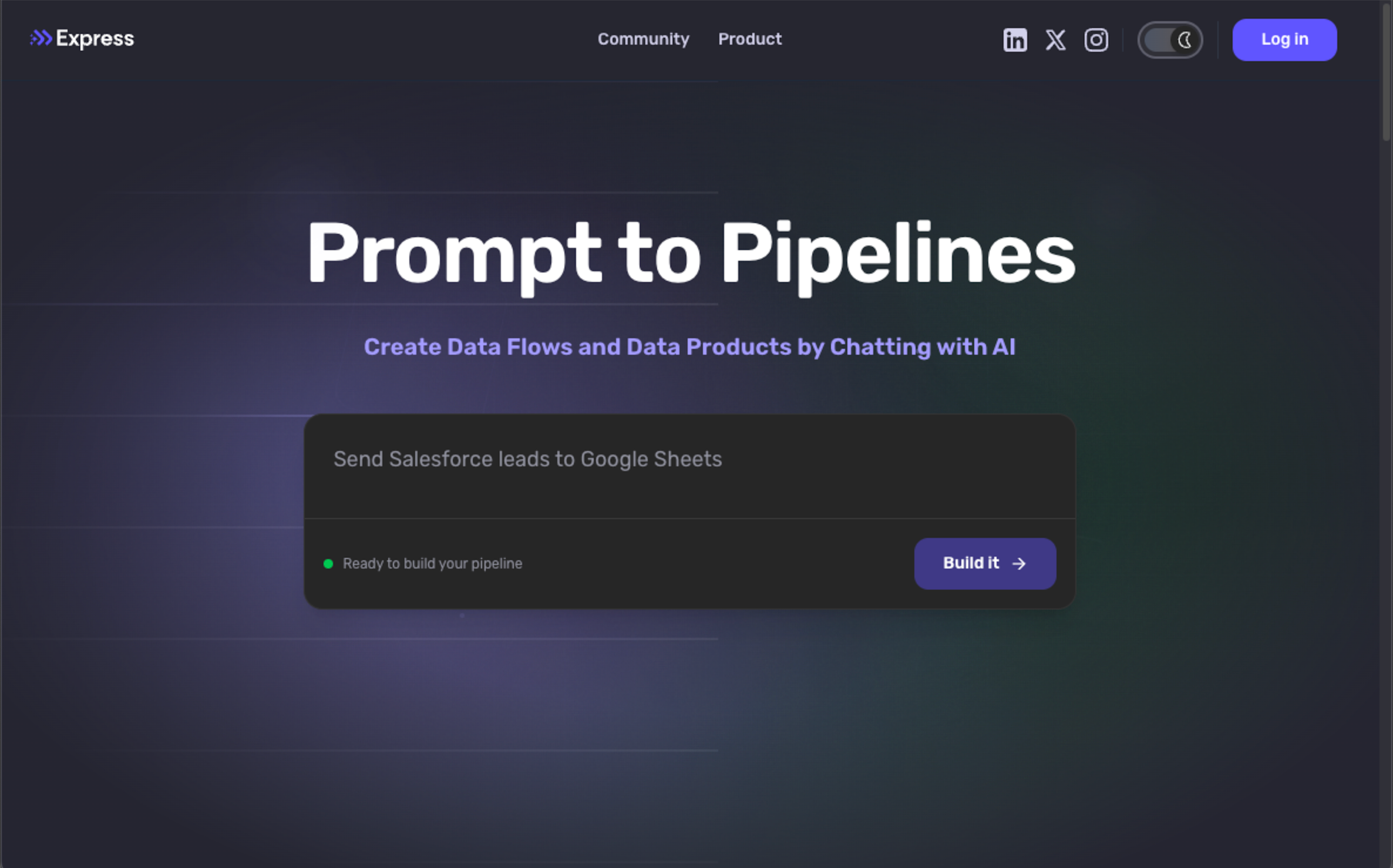
To start using Express, visit https://express.dev, click the Log In button in at the top of the page, and sign in with your Nexla account. If you don't have a Nexla account, you can find more information and sign up at https://nexla.com.
Express Home Page
https://express.dev
Your First Conversation
Express works equally well whether you describe what you want to accomplish at a high level or provide specific technical details about how to build it. Simply communicate your needs naturally—the same way you'd describe it to a teammate.
Whether you're new to data workflows or an experienced data engineer who knows exactly what you want to build, Express meets you where you are and handles the technical implementation.
How to start a conversation with Express:
-
Navigate to express.dev, and log in with your Nexla credentials.
-
In the message field, describe what you want to do with your data in natural language. You can reference existing data flows, Nexsets, and other resources in your account by clicking the @ symbol (or typing
@) and selecting the flow or resource from the menu. Then, press Enter or click the arrow to send your message. -
Express will understand your request, determine the best approach to build your flow, and respond through its generative UI. Then, just continue the conversation naturally—you can refine, adjust, or add to your requirements as Express builds your flow. As you chat, Express will ask any necessary clarifying questions and present only the configuration options relevant to your specific request.
When Express needs configuration details, it presents the same fields and menus you would see in the Nexla platform, and they work exactly the same way. You can select from the dropdown menus, fill in the text fields, and select options directly in the interface. Or, if you prefer, you can tell Express which options you want via chat, and Express will configure everything for you. This flexibility means you can use the approach that works best for your workflow—interaction with UI controls or conversational configuration.
Examples of effective descriptions:
High-level business goal:
"I need to combine customer data from Salesforce with purchase history from our e-commerce database for analysis in Tableau"
Specific technical request:
"Create a FlexFlow that ingests data from the Salesforce Leads object using the MySalesforce credential, applies a transformation to remove PII fields, and delivers to BigQuery table analytics.customer_leads on a daily schedule"
Business-focused with context:
"Pull all customer orders from last quarter and combine them with our inventory data so I can analyze which products are selling best"
Data quality and validation:
"Extract transaction data from Stripe, validate that amounts are positive numbers and dates are in the correct format, flag erroneous records for review, and load clean data into PostgreSQL"
AI and ML data preparation:
"Extract all customer support tickets from Zendesk including attachments, convert ticket text and PDFs to structured format, generate embeddings, and load into our Pinecone vector database for our AI support assistant"
Complex multi-step workflow:
"Extract transaction data from our PostgreSQL production database, validate against our business rules, flag any transactions over $10,000 for review, and load approved transactions into Snowflake for reporting"
Working with Express
Express is designed to understand natural language, which means you don't need to follow specific syntax or memorize commands. However, these practices will help you get results faster and communicate more effectively with Express.
Clearly describe what you need
The more specific you are about your data sources and goals, the better Express can help.
Instead of saying "get data from the database", mention the specific system—e.g., "pull customer data from our PostgreSQL production database" or "extract orders from Salesforce". If you're working with existing connections or transformations in your Nexla account, you can reference them by name, and Express will use them.
When describing transformations, focus on the outcome you want rather than the technical steps. For example, say "remove test accounts and mask email addresses" instead of specifying the exact filtering logic. Express will determine the best way to implement what you need.
Include timing and scheduling details
If your data flow needs to run on a schedule, mention it—for example, "daily at midnight", "every hour", "whenever new data arrives", or "as a one-time load".
If you don't specify timing, Express will ask or make a recommendation based on similar flows in your account.
Reference existing resources
Express can reuse connections, Nexsets, schemas, and transformations already in your account. You can reference these directly in your conversation—simply give Express instructions like "use the MySalesforce credential" or "apply the same customer data cleaning transformation we use for the marketing dataset".
This saves time and ensures consistency across your data workflows.
Work iteratively
You don't need to describe everything perfectly in your first message. Start with the core requirement, see what Express builds, then refine. For example:
- Start: "Move customer data from Salesforce to BigQuery"
- Review what Express creates
- Refine: "Only include customers from the last 6 months"
- Add: "Mask email addresses for privacy"
- Adjust: "Run this every 4 hours instead of daily"
Express updates the flow based on each refinement, showing you what changed.
Ask questions when you're unsure
If you don't know whether Express can handle something, just ask:
- "Can you process real-time data from IoT sensors?""
- "Is it possible to validate data quality and flag errors?""
- "Can this flow include custom business rules?""
Express will let you know what's possible and guide you through the options.
What's Next?
Ready to Try Express?
Visit Express.dev and start a conversation today to see how Nexla and Express can help expedite your data operations.
Visit Express →Have More Questions?
Contact Nexla Support for more information about Express and how it can benefit your organization.
Email Nexla Support →Join the Nexla Community Slack Channel →